
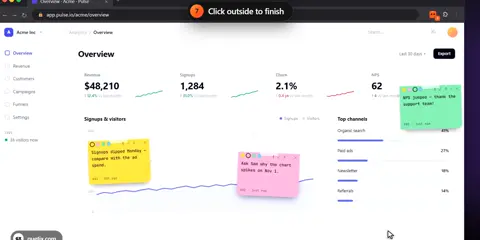

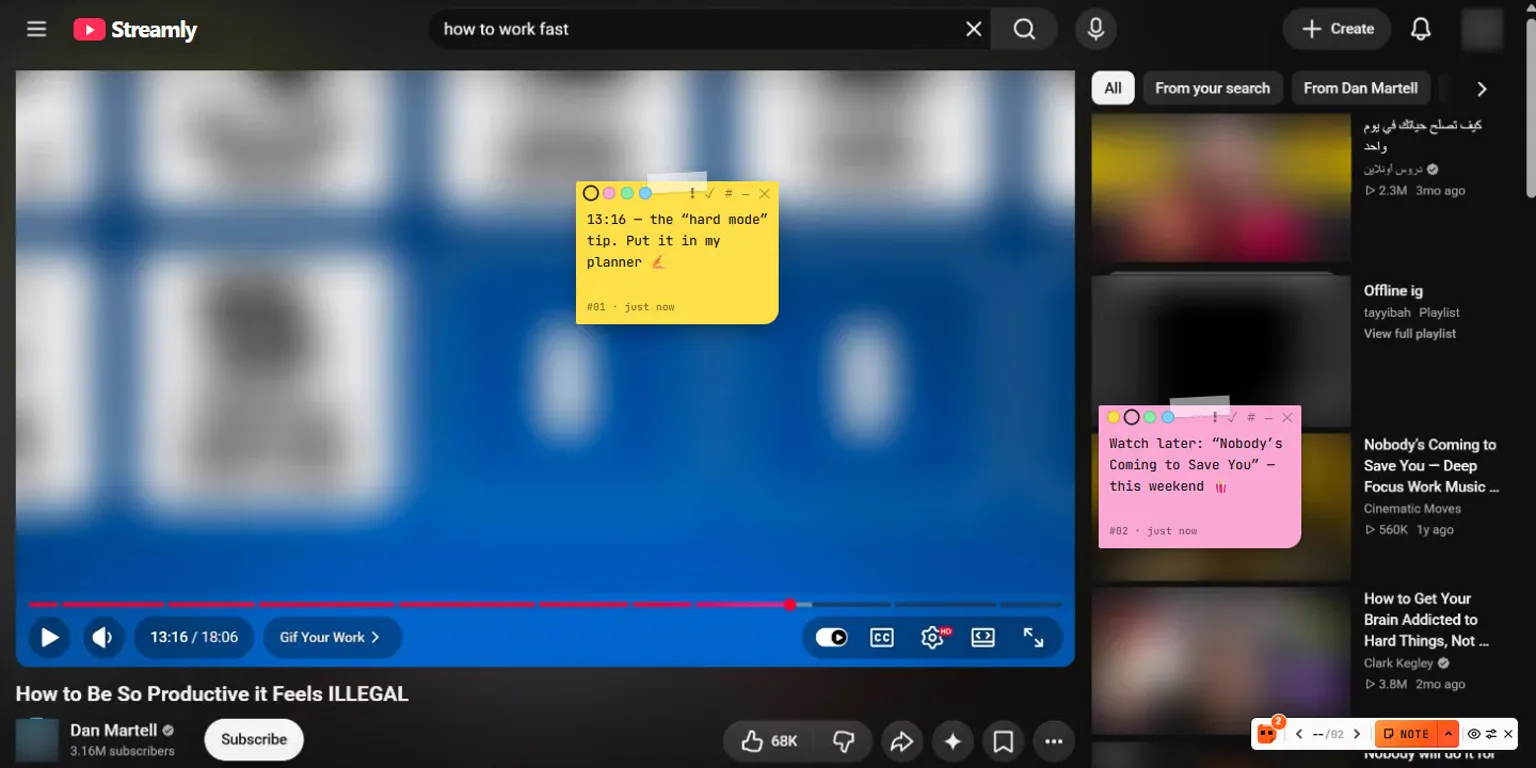
You watch a video and want to remember minute 13:16. You review a client's website and spot three things to fix. A number on your dashboard looks wrong. Where do those thoughts go? Usually into a notes app — far away from the page they are about. Page Notes puts them right on the page.
Why notes on the page itself
A note is most useful next to the thing it is about. Page Notes is a free Chrome extension that pins real sticky notes on any website. Close the tab, come back next week: the note is still there, in the same spot.
Watch the tutorials
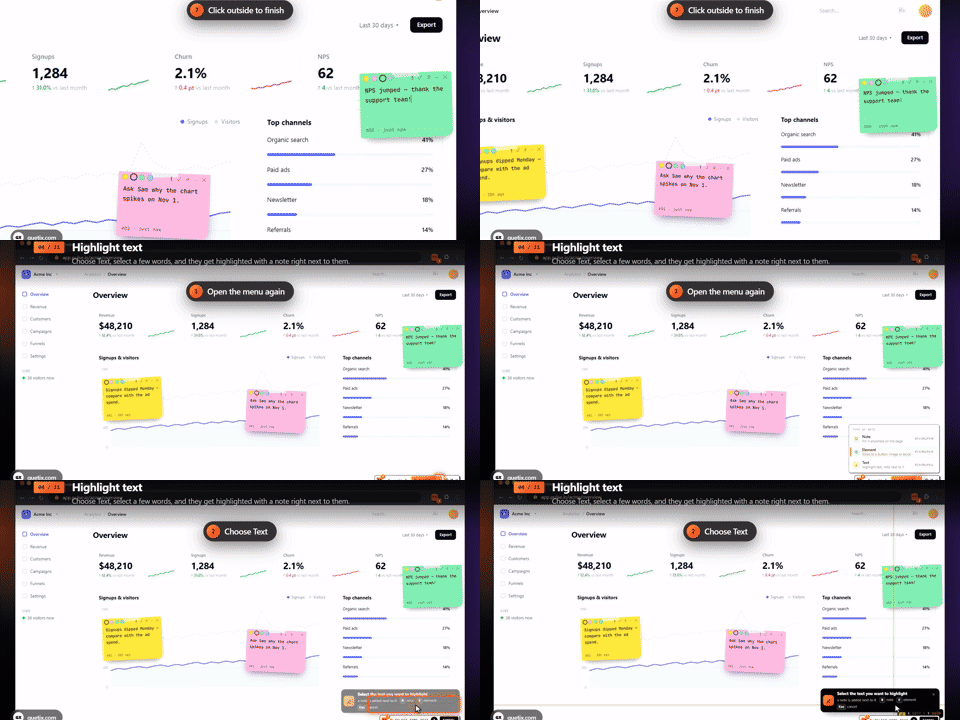
Six short videos, recorded on the real extension. Pick one in the playlist — each step is shown on screen.
Get started in a minute
- Install it from the Chrome Web Store (or download the .zip on the Page Notes page) and pin the orange icon next to the address bar.
- On any website, click the icon and press + New note. Click where the note should go and type.
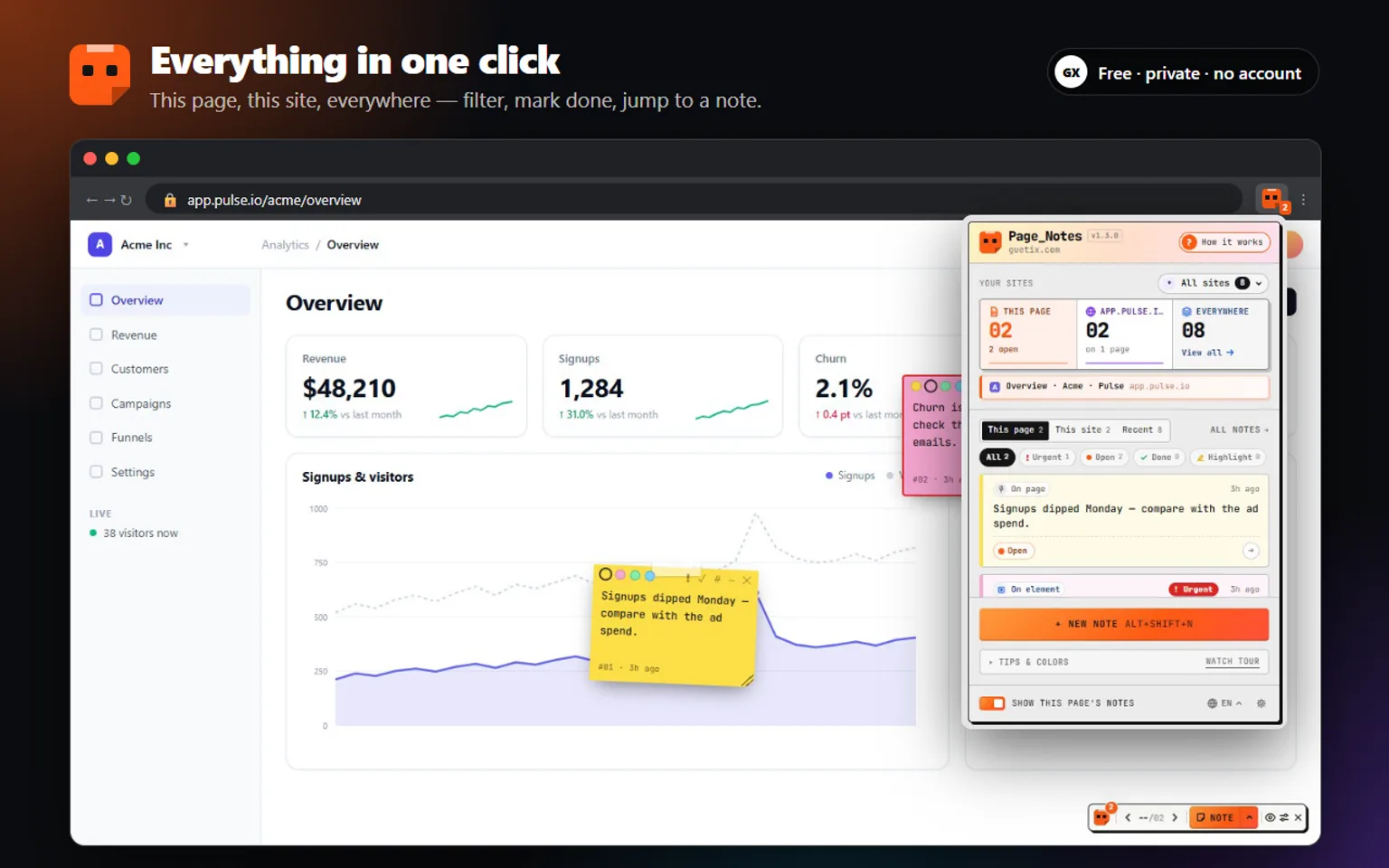
- That's it. A small toolbar appears in the corner of pages that have notes: the count, ‹ › to step through them and + Note to add another — you can even drag a note straight off it.
Three kinds of notes
- Note — pin it anywhere on the page.
- Element — stick it to a card, button or image (Alt+Shift+E). It follows that element when the layout changes.
- Text — select a few words (Alt+Shift+L): they are highlighted and your note sits right next to them.
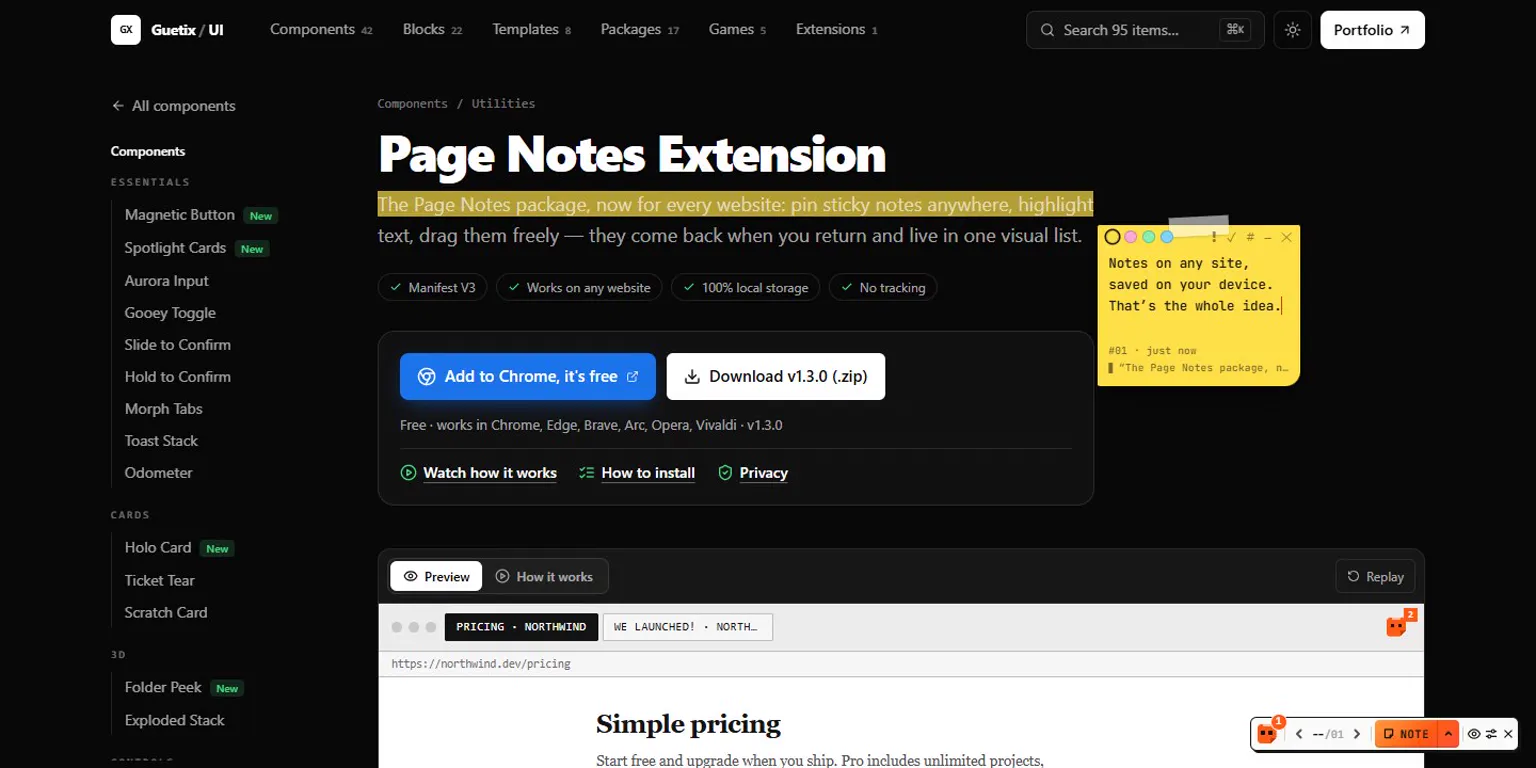
Every note has a little bar: four colors, ! for urgent, ✓ for done, # to copy a link that opens the page right at that note, – to fold it into a tab, and ✕ to delete it — with an Undo, in case you didn't mean it.
Find every note again
Click the toolbar icon for the extension bar: how many notes are on this page, this site and everywhere, your list of sites, recent notes and quick filters (urgent, open, done, highlights, links). One click marks a note done or scrolls the page to it.
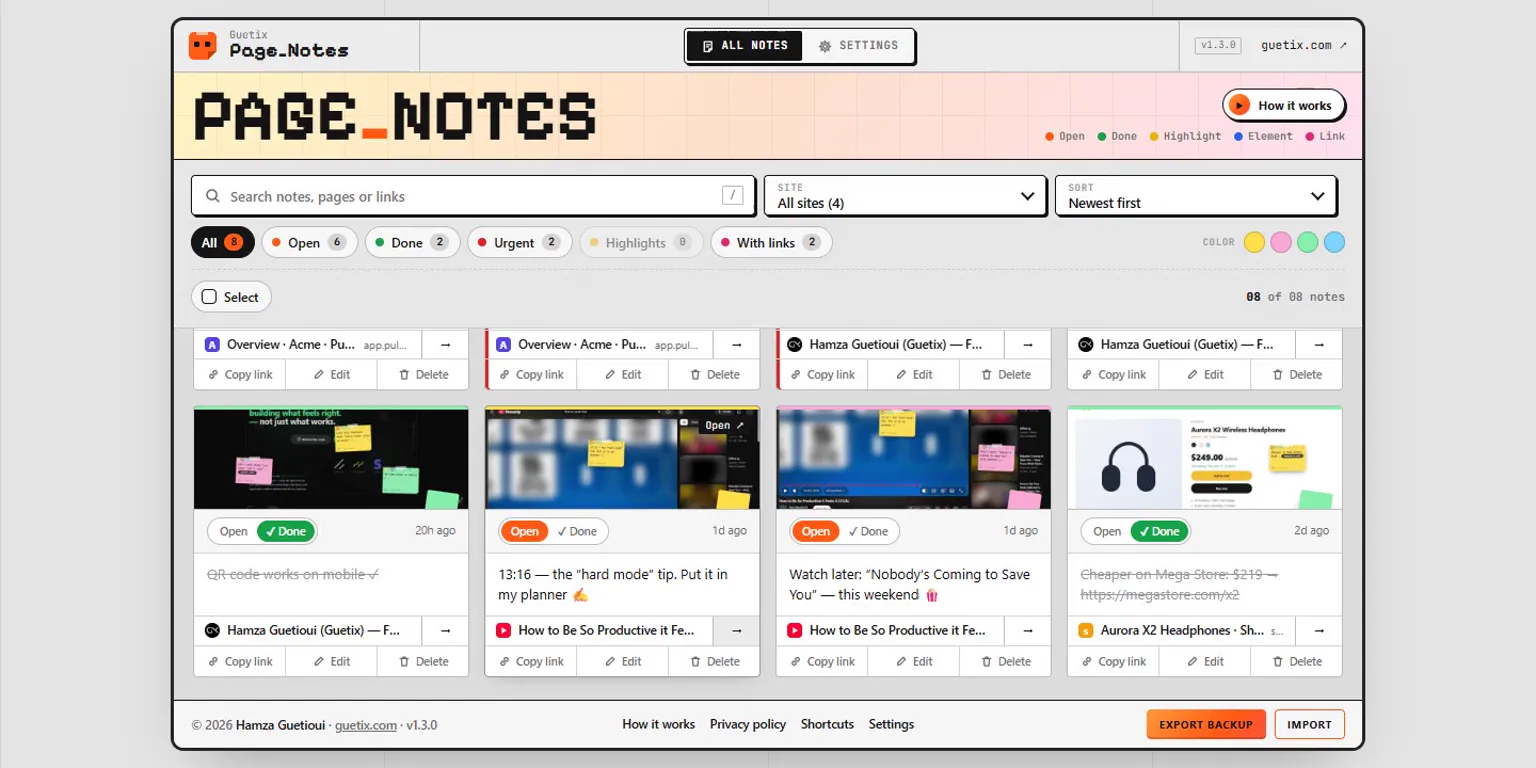
All notes shows every note from every site as a card, with a small snapshot of where it sits. Search, filter by status or color, sort, edit a note like a sticky note, select several to mark done or share them — and jump straight back to the page.
Private by design
Your notes never leave your browser.
Notes and snapshots are saved in your browser's local storage. No account, no server, no analytics. Export a JSON backup any time and import it on another computer — nothing is overwritten.
And you don't have to take our word for it: Page Notes is open source (MIT). Read every line, report a bug or send a translation on GitHub.
Ways people use it
- Website reviews and QA: leave feedback right on a client's page — or your own.
- Learning: timestamps on videos, highlights on docs and articles.
- Work: reminders on dashboards and tools you open every day.
- Shopping and research: price notes and comparisons on product pages.
Try it free: guetix.com/components/page-notes-extension.