



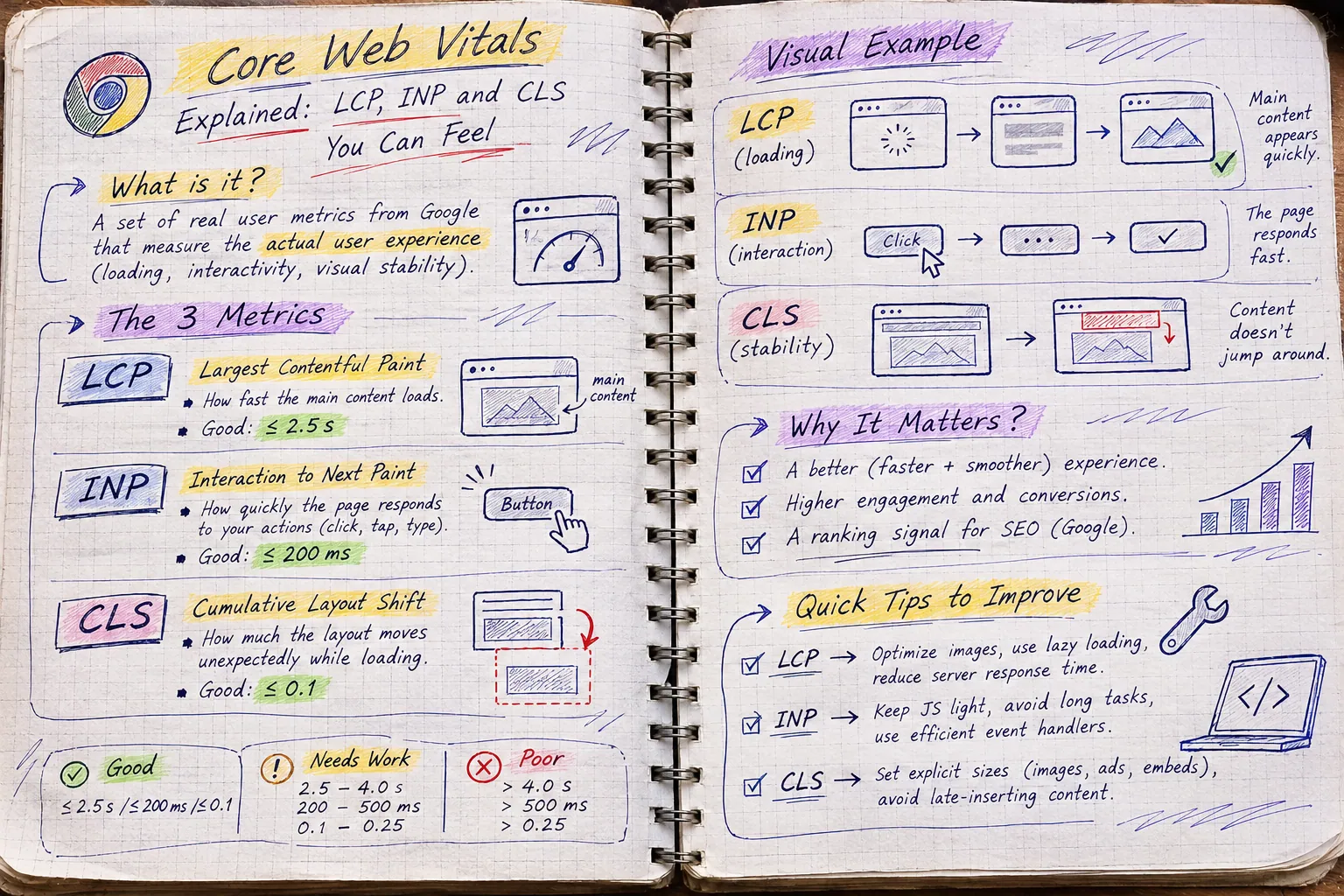
Speed isn't one number. A page can load fast but ignore your taps, or respond instantly but jump around while you read. Google's Core Web Vitals measure the three things users actually feel.
First, feel a layout shift
Load the page and try to tap Confirm order as soon as you see it. Then tick Reserve space for the ad and try again.
Layout shift score
0.00
Waiting for the page to finish loading…
Accidental cancels so far: 0
That frustration has a name — Cumulative Layout Shift — and a score. Each unexpected shift is scored as impact fraction × distance fraction: how much of the viewport moved, times how far it moved.
The three vitals
- LCP — Largest Contentful Paint: when the biggest image or text block in the viewport is rendered. “Is it useful yet?”
- INP — Interaction to Next Paint: the delay between a tap/click/keypress and the next visual update, across the whole visit. “Does it respond?”
- CLS — Cumulative Layout Shift: how much visible content moves unexpectedly. “Is it stable?”
Play with the thresholds
LCP · Largest Contentful PaintHow fast does the main content appear?
3.2 s needs work
good ≤ 2.5 spoor > 4.0 s
INP · Interaction to Next PaintHow fast does the page react to taps and clicks?
260 ms needs work
good ≤ 200 mspoor > 500 ms
CLS · Cumulative Layout ShiftHow much does the layout jump around?
0.18 needs work
good ≤ 0.10poor > 0.25
Fixing LCP (loading)
- Fast server response: static generation or caching beats rendering on every request.
- Prioritise the hero:
fetchpriority="high"on the LCP image (in Next.js:<Image priority />) and never lazy-load it. - Smaller images: modern formats (AVIF/WebP) and responsive
sizes. - Unblock rendering: minimal critical CSS,
font-display: swap, deferred scripts.
Fixing INP (responsiveness)
Interactions wait for the main thread. If a 300 ms task is running, your click waits up to 300 ms. (Why? See the JavaScript event loop, visualised.)
- Break up long tasks (> 50 ms) and yield to the browser between chunks.
- Do less on input: debounce search, avoid re-rendering huge component trees.
- Ship less JavaScript: code-split, remove unused libraries, use server components.
async function processAll(items) {
  for (const [i, item] of items.entries()) {
    process(item);
    // every 50 items, let the browser handle input and paint
    if (i % 50 === 0) await new Promise((r) => setTimeout(r));
  }
}
Fixing CLS (stability)
- Always give media dimensions:
width/heightor CSSaspect-ratio. - Reserve space for ads, embeds and banners — exactly what the checkbox above did.
- Never insert content above what the user is reading, except in response to their action.
- Animate with transform, not
top/height, so neighbours don't move.
Quick check
A cookie banner slides in at the bottom as an overlay (position: fixed). Does it hurt CLS?
How to measure
Field data (what counts)
Google ranks with real-user data from the Chrome UX Report. Check it in PageSpeed Insights or the Core Web Vitals report in Search Console. On Vercel, Speed Insights collects it automatically.
Lab data (for debugging)
Lighthouse and the DevTools Performance panel reproduce problems on your machine. Remember: lab ≠ field. Test on a throttled mid-range phone profile.
Users don't experience your Lighthouse score. They experience the 75th percentile of real visits.